 Verbale
Keep meeting recordings on your phone: the privacy case
Your meeting recordings shouldn't leave your phone because a recording is the most complete record of what was said. Once it sits on someone else's server, you depend on their policies, their security and their staff. That may be fine for a team stand-up. For a client negotiation, an HR case, a legal briefing or a health conversation, it often isn't.
The alternative is simple to describe: do the transcribing and the note-writing on the phone, so there is nothing to upload in the first place.
What cloud note-takers do with your audio
Most cloud meeting assistants work the same way in outline. Your audio is sent over the internet to servers run by the vendor or by a provider they use. Software there turns it into a transcript and notes, and the results are stored so you can come back to them. Many require an account. Some join your video call as a participant, which is visible to everyone in it.
That is not sinister. It is how the technology was built when phones couldn't do the work. But it has consequences worth naming:
- Copies exist outside your control. Audio and transcripts live on servers, often with backups, for as long as the vendor's retention policy says.
- More people and systems can touch them. Staff access, subcontractors, support tooling and, in some plans, uses such as improving the service. Policies differ, which is exactly why you need to read them rather than assume.
- You inherit their incidents. A breach at a vendor is your confidential meeting in somebody else's incident report.
- Rules about where data lives. If your work is bound by confidentiality duties or regulations about data location, "which country's server?" becomes a real question.
None of that applies to every product. The point is that you have to check, for each one.
Which meetings are too sensitive for a cloud note-taker?
Client confidentiality. Consultants, agencies and freelancers hear things clients haven't told the market. Many contracts restrict sharing that information with third parties. Uploading the recording is arguably exactly that.
HR conversations. Performance reviews, grievances and exits involve personal information. Few people being discussed would choose to have it processed on a stranger's infrastructure.
Legal matters. Conversations with lawyers can be sensitive in ways that depend on who else has had access. This is a reason to ask your own adviser, and we are not giving legal advice here.
Health and counselling. Anything touching someone's health or personal circumstances deserves the most careful handling.
Early-stage business. Pricing, fundraising and product plans are the kind of thing you'd rather not have stored elsewhere.
How does on-device processing keep a meeting private?
When the model runs on your phone, the sentence "we never see your audio" stops being a policy and becomes a fact about the architecture. There is no server copy to protect, retain, subpoena or leak, because none was made.
Verbale works this way. It records meetings in English and writes the transcript, speakers and minutes entirely on the phone. Nothing is uploaded, and after a one-time model download it works with no signal. The recordings and notes are yours to keep or delete.
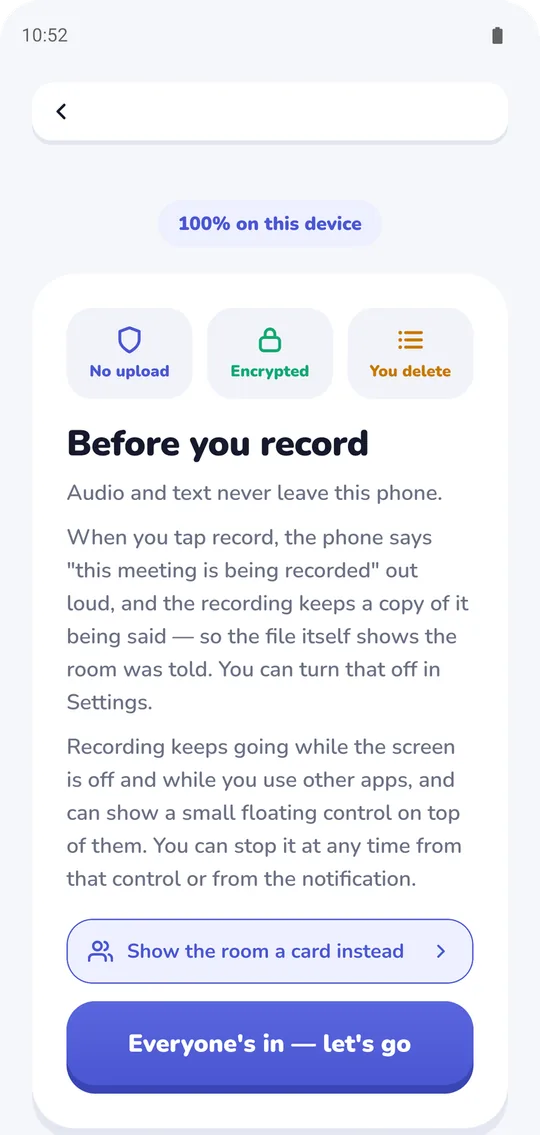
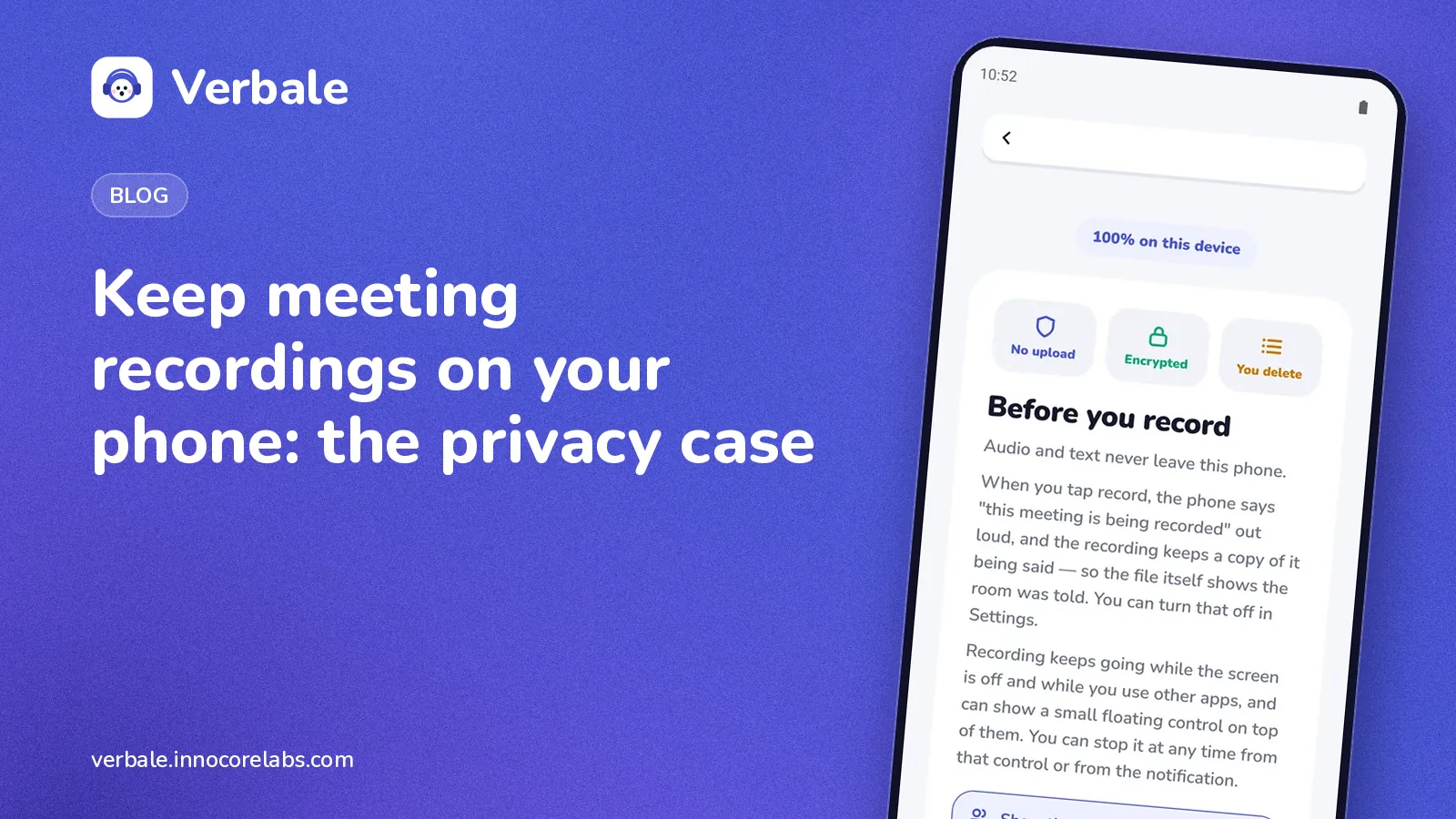
The screen shown before you record, spelling out that audio and text stay on the phone.
On-device has trade-offs, and we set them out in on-device versus cloud transcription: processing takes longer on a phone, and a very noisy room can be harder. We would rather you know that now.
How to check whether a meeting app really keeps audio private
A promise is cheap. You can test one, for any app:
- Read what it says it sends. Look for plain statements about audio and transcripts, not just "we take privacy seriously".
- Try airplane mode. Record a short meeting with the radios off. If the notes still appear, the processing is local. If it waits for a connection, it isn't.
- Look for an inventory of network calls. Verbale has a screen that counts every network call the app itself makes: the one-time model download and the subscription check. The FAQ below covers the one thing it cannot count.
- Check the account question. An app that needs no account has fewer places to attach your data. The free plan needs none.
Ask everyone in the room first
Keeping a recording on your phone does not remove the need for consent. Recording-consent laws vary by country and state, so ask everyone before you record, and say what the recording is for. The guide to recording a meeting on your phone has wording that works.
If you are mostly interested in the practical side of working with no signal, read how to take meeting notes on Android without internet.
FAQ
Is it safe to use AI meeting assistants for confidential meetings?
It depends on the product and on what you've agreed with the client or employer. A cloud assistant uploads your audio, so you need to be comfortable with its retention, access and security practices. If you aren't, use a tool that processes on your device so nothing is sent.
Does on-device transcription really keep recordings private?
If the processing is genuinely local, the audio and transcript never need to leave the phone. You can test this by using the app in airplane mode, and by checking what network activity the app reports.
Do I still need consent if the recording stays on my phone?
Yes. Where the data is stored doesn't change whether recording is allowed. Laws differ between countries and states, so ask everyone first.
What does Verbale send over the network?
Only the one-time model download, the subscription check, and crash reports if you opt in. Crash reports never contain meeting content. The app has a screen that counts every network call it makes itself; crash reports are sent by Google's crash reporter, so that screen cannot count them, and says so.