 Verbale
Offline meeting notes on Android: no internet needed
Yes, you can take meeting notes on an Android phone with no internet at all, but only if the app that writes the notes runs on the phone itself. Most meeting apps send your audio to a server and wait for text to come back, so they stop working the moment your signal does. An on-device app records, transcribes and writes the minutes locally, which means a basement boardroom, a train or a site visit in the countryside makes no difference.
This guide covers what actually works offline, what doesn't, and a step-by-step way to do it. For a short overview of the app itself, see offline meeting notes app for Android.
What works offline, and what doesn't
"Offline" is slippery, so be precise about the parts of a meeting-notes workflow.
Works with no connection, if the app does it on the phone:
- Recording the audio. Every Android phone can do this without a network.
- Turning speech into a transcript, including labelling who said what.
- Writing a summary, action items and minutes from that transcript.
- Searching and playing back the meeting afterwards.
Does not work offline, whatever the app:
- Sharing the notes by email or chat. That needs a connection, though you can write the notes offline and send them later.
- Downloading the speech and language models the first time. Apps that run on the phone have to get their models from somewhere, once.
- Anything that depends on a cloud service by design: live captions streamed from a server, or a bot that joins a call.
In short: offline note-taking is a property of where the processing happens, not of the app's marketing. If the transcript only appears after an upload, it is not offline, however good the recorder is.
Step by step: offline notes with Verbale
Verbale is an Android app that records meetings in English and writes the transcript, the speakers and the minutes entirely on the phone. Nothing is uploaded. Here is the path, whether you are connected or not.
- Do the one-time setup while you have Wi-Fi. The app downloads its models once. After that, it needs no signal to record or write notes.
- Ask everyone before you record. More on this below.
- Tap record and put the phone down. Recording carries on with the screen off, while you use other apps, and in a small floating window.
- Mark the important moments. Tap Mark during the meeting. Those moments become highlights afterwards.
- Stop, and let the phone work. Long meetings process in the background and you get a notification when the notes are ready.
- Read the result. You get the transcript separated by speaker, plus decisions, action items and open questions, each linked to the moment it was said.
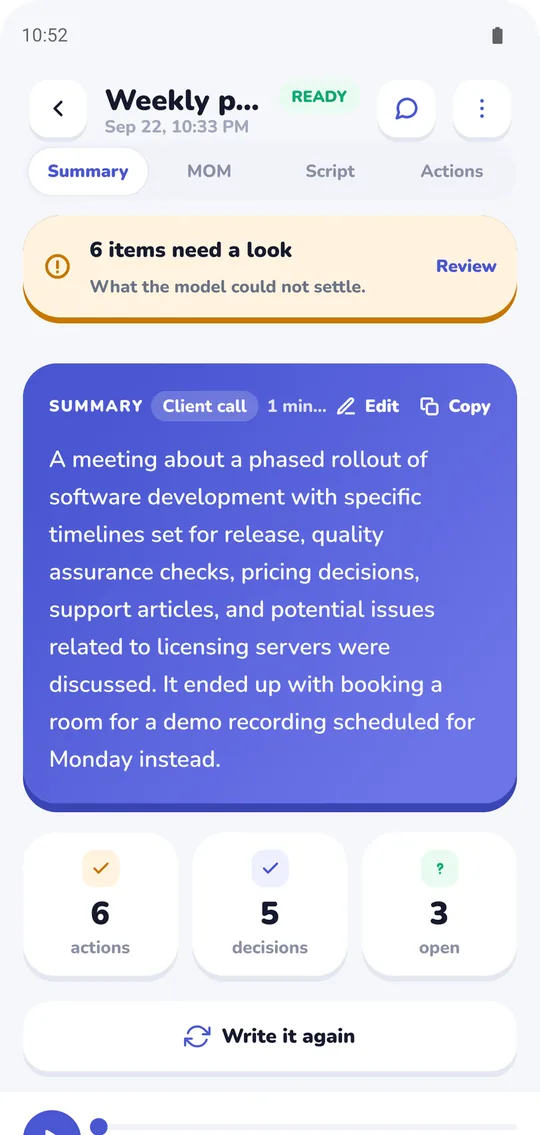
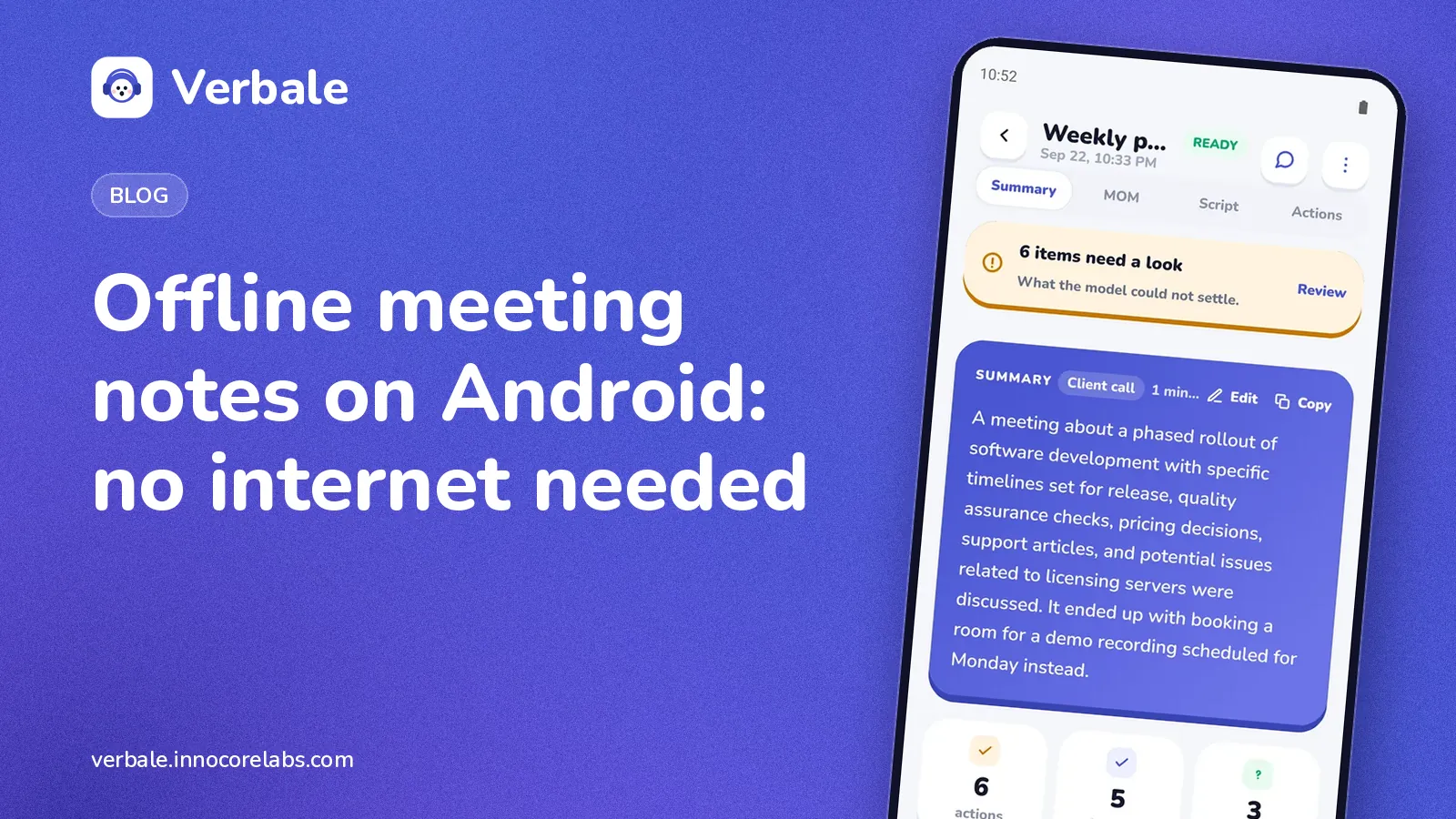
A finished meeting: the summary on top, with counts of actions, decisions and open questions underneath (the written summary is part of Pro; the transcript, decisions and actions are free).
The full flow is on the Verbale home page.
Tips for good offline notes
Do the downloads before you travel. If you know you will be somewhere with no signal, open the app once on Wi-Fi first. Discovering a missing download at the meeting is the most avoidable failure.
Be realistic about processing time. A phone does the work that a rented server farm would otherwise do. For a long meeting that takes a while. Plug the phone in, leave it, and expect the notes some time after you stop, not the instant you stop. We deliberately don't promise a number, because it depends on your phone and the meeting length.
Put the phone near the people talking. Offline or online, the transcript can only be as good as the audio. The guide to recording a meeting on your phone covers placement and noise in detail.
Keep your battery in mind. Recording is light; processing a long meeting is heavier. Charge before a long day of back-to-back calls.
Write your own two lines at the end. Even good machine notes benefit from a human adding what was meant rather than said.
Limits of offline meeting notes on Android
- English only. Verbale transcribes meetings held in English.
- Android only, and 64-bit phones. Some Pro features need 4 GB of memory; the app checks before it downloads or sells you anything.
- It takes time. Processing a long meeting on a phone is slower than a data centre.
- Not every feature is free. The free plan gives you 5 meetings a month, up to an hour each, with the full transcript, speakers, decisions and action items. Pro adds things like exports and a model-written summary shaped to the meeting type.
If you care about the privacy side of this, why meeting notes should stay on your phone explains what changes when nothing leaves the device. And if you are weighing the two approaches, on-device versus cloud transcription sets out the trade-offs fairly.
FAQ
Can I record and transcribe a meeting on Android with no internet?
Yes, with an app whose speech-to-text runs on the phone. Recording alone never needed internet; the transcription step is the part that usually does. With an on-device app, the whole chain runs locally after a one-time model download.
Does Android have a built-in way to transcribe meetings offline?
Many Android phones include a basic voice recorder and voice typing. Those tools are often built for short dictation rather than multi-speaker meetings, so you may get a block of text with no speaker labels and no action items. For meetings, a dedicated on-device app is a better fit.
Is offline transcription less accurate than cloud transcription?
Sometimes. On clear audio the difference is small; with heavy accents or a noisy room, large cloud models can do better. Verbale's Pro plan adds a larger transcriber aimed at accents and bad rooms. The on-device versus cloud comparison goes through where each approach wins.
What do I still need internet for?
A one-time model download, the subscription check if you are on Pro, and sharing the notes afterwards. What the app sends, and what it never does, is set out in why meeting notes should stay on your phone.