 Verbale
On-device vs cloud transcription: the honest trade-offs
On-device transcription is better when privacy, working without signal and avoiding accounts matter most; cloud transcription is better when you need results fast, the audio is poor, or you want live captions and heavy processing without draining your phone. Neither is universally superior. The right choice depends on what the meeting contains and where you are holding it.
We make an on-device app, so we have a bias. This article tries to set it aside and give each side its due.
What the two terms mean
Cloud transcription sends your audio over the internet to a server, where software turns it into text and returns it. Many cloud meeting assistants also store the transcript, require an account and some join the call as a participant.
On-device transcription does the same job on the phone itself. The audio is not sent anywhere for processing. The trade is that the phone has to do the work, with whatever memory and battery it has.
The comparison
| Factor | On-device | Cloud |
|---|---|---|
| Privacy | Audio stays on the phone | Audio is uploaded and processed on someone else's servers |
| Works without signal | Yes, after a one-time model download | No, it needs a connection to process |
| Speed | Slower, especially for long meetings | Usually faster; servers are powerful |
| Accuracy in bad rooms | Can struggle; larger on-device models help | Often stronger, with larger models available |
| Live captions | Limited | A common strength |
| Battery and heat | Heavier use while processing | Light on the phone, but it uses data |
| Cost model | No per-minute server cost to pass on | Server costs, usually met by subscription or usage limits |
| Accounts | Not needed for the core job | Often required |
| Storage | Notes stay with you | Stored on the vendor's servers |
Treat these as tendencies, not guarantees. Individual products vary, and both technologies keep improving.
Where on-device wins
Confidential conversations. If the content of a meeting shouldn't be stored elsewhere, not uploading it is the cleanest answer. We cover this in why meeting notes should stay on your phone.
No signal, or unreliable signal. Lifts, basements, trains, rural sites. See how to take meeting notes on Android without internet.
No accounts. Nothing to sign up for, nothing to attach your meetings to.
Predictable cost. The vendor isn't paying for a server every minute you record, which is why a free plan can be genuinely free.
Where cloud wins
Speed. A server can transcribe an hour of audio far faster than a phone. If you need the text within minutes of finishing, cloud has the edge.
Difficult audio. A large server-side model can cope better with strong accents, crosstalk and a noisy room than a model small enough for a phone. On-device is closing the gap, and Verbale's Pro plan includes a larger transcriber for accents and bad rooms, but we won't claim it matches a data centre in every case.
Live captions during a call. If you need words appearing in real time for accessibility or for people joining late, streaming from a server is the usual route.
Phones that can't cope. Older or low-memory phones may be too slow for on-device processing. Verbale only runs on 64-bit Android phones, and some Pro features need 4 GB of memory.
Many languages. Verbale works in English only. If you need other languages today, a cloud service may well support them.
Team sharing. Cloud tools are built to put one transcript in front of many colleagues. On-device notes live on your phone until you export or copy them.
A quick way to choose
Ask three questions.
- Could this meeting hurt someone if it leaked? If yes, lean on-device.
- Will I have a reliable connection? If not, on-device.
- Do I need the text immediately, or live? If so, cloud.
Often the answer is both: on-device for sensitive meetings, cloud for the routine ones where speed and sharing matter more.
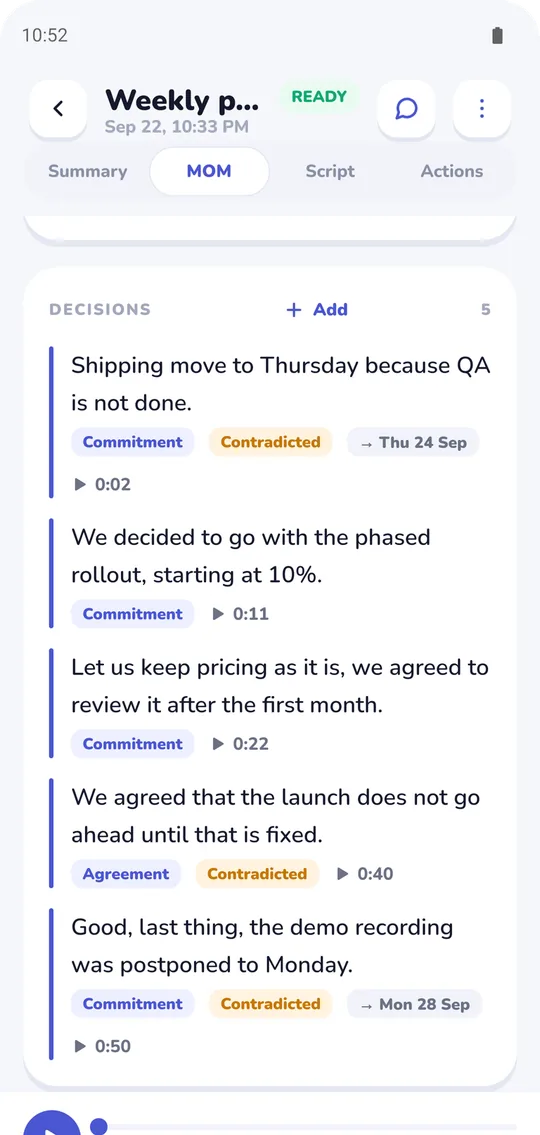
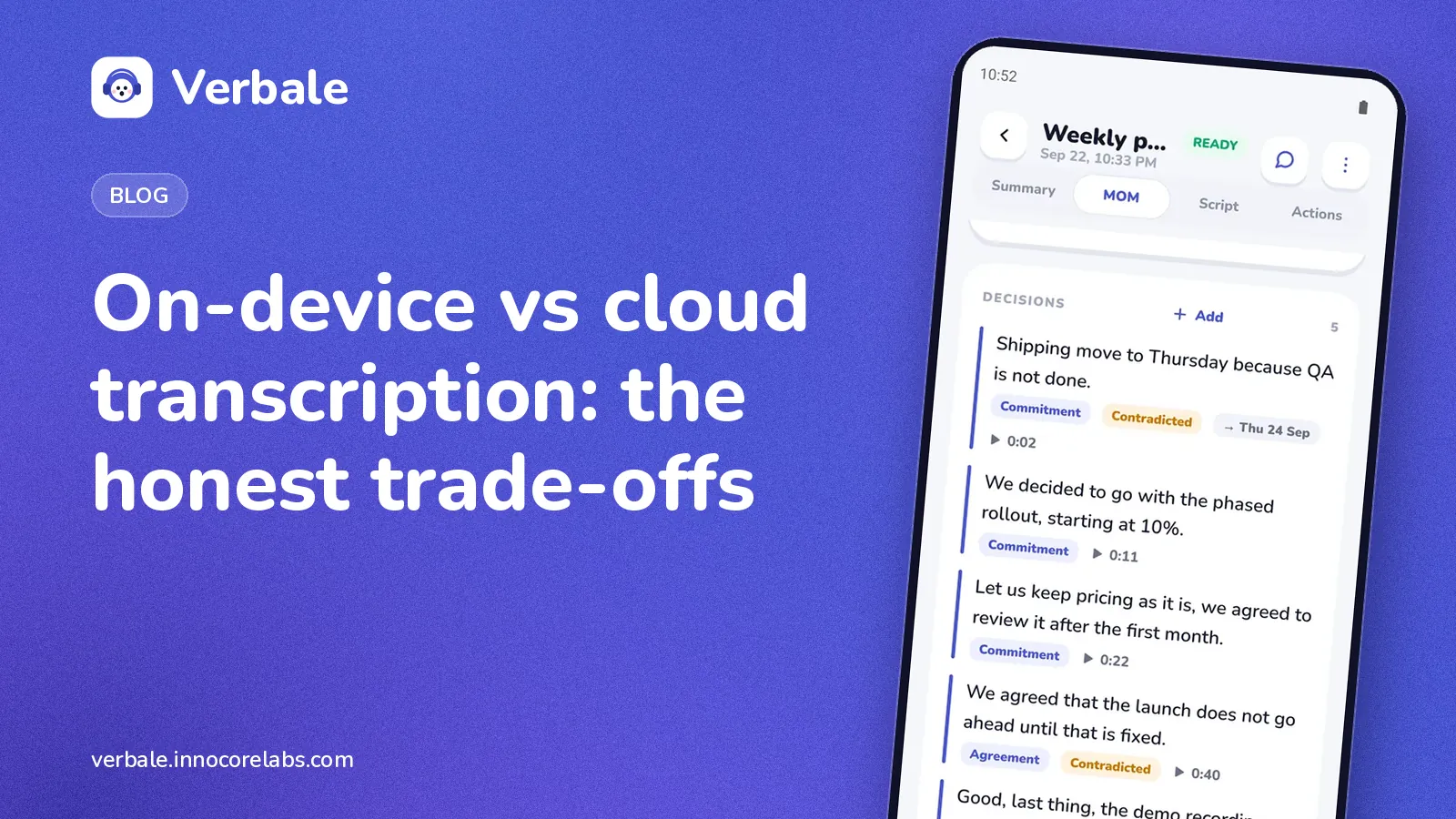
On-device output: each decision is linked to the moment in the recording where it was said.
What Verbale does
Verbale is an on-device option, built for English meetings on Android. It has a screen that counts every network call the app itself makes, and long meetings process in the background with a notification when the notes are ready. That takes time, which is the price of keeping it local. The walkthrough on the home page shows the flow.
If you are drafting minutes from either kind of transcript, the minutes of meeting template will help.
FAQ
Is on-device transcription as accurate as cloud?
Often close for clear audio, and less so for noisy rooms, strong accents or overlapping speech, where larger cloud models can have an advantage. Audio quality matters more than where the processing runs, so good microphone placement helps either way.
Is cloud transcription safe?
It can be, depending on the vendor's security, retention and access policies. The relevant question is whether you are comfortable with a copy of your audio existing on their servers. For sensitive meetings, many people aren't.
Does on-device transcription use more battery?
It does while processing, because the phone is doing work a server would otherwise do. Cloud tools use less processing but still use data and battery for recording and uploading. Plugging in for a long meeting helps.
Can on-device transcription work offline?
Yes. The steps are in offline meeting notes on Android.